
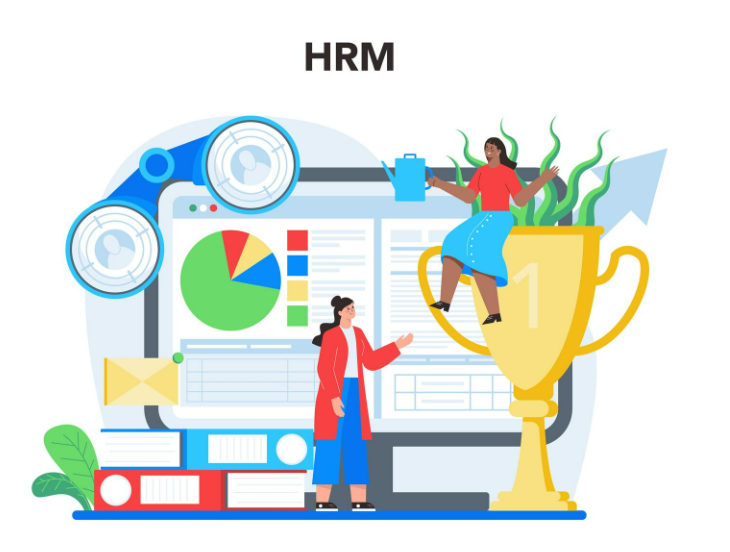
If you’re new to HR or running a growing business, you’ve likely heard the term HRMS (or Human Resource Management System). It sounds technical, but at its core, HRMS is simply smart software that helps manage people-related tasks more efficiently. Instead of juggling spreadsheets, emails, and paper files, an HRMS brings everything into one digital place—saving time, reducing mistakes, and letting you focus on your team rather than paperwork.
In 2026, HRMS tools have become more powerful, affordable, and user-friendly—even for small businesses. This beginner-friendly guide explains exactly what HRMS is, how it works, its main features, real benefits, and tips for choosing the right one.
What Does HRMS Stand For and Mean?
HRMS stands for Human Resource Management System. It is sometimes called HRIS (Human Resource Information System) or HCM (Human Capital Management), but they all refer to the same idea: a centralized software platform that handles core HR processes throughout the employee lifecycle—from hiring to offboarding.
Think of it as the “operating system” for your people operations. It stores employee information securely, automates routine tasks, ensures compliance with laws, and provides reports that help leaders make better decisions.
How Does an HRMS Work?
An HRMS acts as a single database for all employee data. When someone joins, their profile is created. As they work, the system tracks attendance, calculates pay, manages leave, runs performance reviews, and more. Everything connects, so a change in one area (like a promotion) automatically updates related areas (like payroll and benefits).
Modern HRMS platforms in 2026 are cloud-based, mobile-friendly, and often use AI to predict trends or flag issues early.
Key Features of a Good HRMS in 2026
Here are the main modules and capabilities most beginners should look for:
- Employee Database / Core HR Central storage for personal details, job history, documents, emergency contacts, and organizational structure.
- Payroll Management Automates salary calculations, tax deductions, bonuses, overtime, and direct deposits. Includes compliance with local laws.
- Time and Attendance Tracking Records clock-ins, shifts, leave requests, and absences—often with mobile apps or biometric options.
- Recruitment and Onboarding Job postings, applicant tracking, offer letters, e-signatures, and new-hire workflows.
- Performance Management Goal setting, reviews, feedback forms, and 360-degree evaluations.
- Employee Self-Service Portal Staff can view payslips, request leave, update details, and access company policies anytime.
- Leave and Benefits Administration Tracks vacation, sick leave, maternity, and benefits enrollment.
- Reporting and Analytics Dashboards showing turnover trends, headcount, costs, and productivity insights.
- Compliance and Security Automatic updates for tax/labor laws, data encryption, audit logs, and certifications (GDPR, ISO 27001).
- Integrations Connects to accounting, communication tools, or calendars via APIs or Zapier.
Benefits of Using HRMS Software
- Saves Time — Automates repetitive tasks so HR can focus on people.
- Reduces Errors — Eliminates manual calculations and missed deadlines.
- Improves Compliance — Keeps you aligned with changing regulations.
- Boosts Employee Satisfaction — Self-service access and faster processes.
- Provides Insights — Data helps spot trends and make better decisions.
- Scales Easily — Grows with your business without major changes.
- Cuts Costs — Fewer mistakes mean lower rework and penalty risks.
Who Needs an HRMS?
- Small businesses (10-50 employees) moving from spreadsheets
- Growing teams (50-500 employees) needing structure and automation
- Companies with remote/hybrid workers or multiple locations
- Businesses expanding internationally or hiring contractors
Even very small teams benefit from basic HRMS once manual work becomes overwhelming.
How to Choose the Right HRMS in 2026
- List your top 3 pain points (e.g., payroll errors, leave tracking).
- Set a budget (most charge per employee/month).
- Check for mobile access and ease of use.
- Ensure compliance support for your country(s).
- Ask for demos and free trials.
- Read reviews from similar-sized businesses.
SmartHR is a popular choice in 2026 for its no-code customization, quick setup (1-3 weeks), global compliance (50+ countries), and strong self-service features—all at accessible pricing for growing teams.
Final Thoughts
An HRMS is simply the modern way to manage people processes. It replaces chaos with order, errors with accuracy, and manual work with smart automation. In 2026, even small businesses can access powerful HRMS tools without huge budgets or technical expertise.
If you’re still using spreadsheets or disconnected apps, switching to an HRMS can transform your daily operations and employee experience.
Ready to explore HRMS for your team? Start with a clear view of your needs and try a demo of SmartHR to see how simple and effective it can be.